MFA adds an extra layer of security to your bot's Second Life account. MoonBots fully supports MFA-enabled bot accounts. Once MFA is turned on, MoonBots will ask you for a code when your bot signs in, about once every 30 days.
Step 1: Enable MFA on the Second Life Website
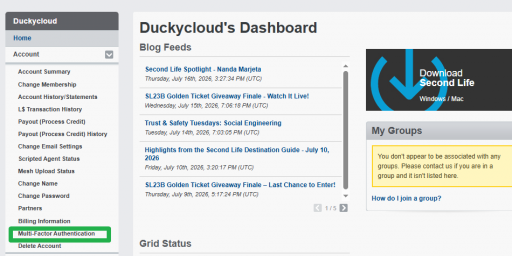
Note: Make sure you are logged in as your bot's account, not your main account. The authenticator entry you create in this step is the one you will use for MoonBots.
Step 2: Enter Your Code in MoonBots
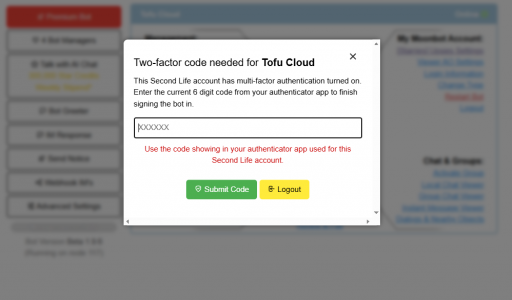
When your bot logs in, MoonBots will detect that MFA is enabled and ask for a code.
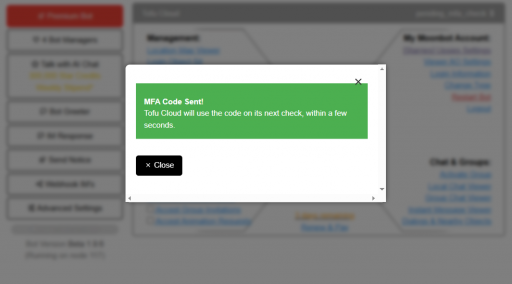
After submitting, you will see MFA Code Sent! Your bot will use the code on its next check, within a few seconds.
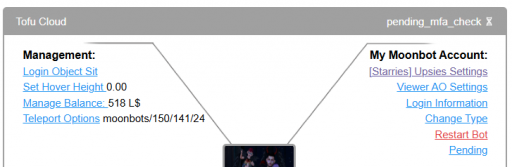
While the bot is waiting to use your code, its status will show pending_mfa_check. This clears on its own once the bot finishes signing in.
How Often Will I Enter a Code?
Once every 30 days. MoonBots remembers your bot's MFA session, so you will only be prompted for a new code about once a month per bot.
Troubleshooting
The code was not accepted. Codes expire quickly. Check that you are entering the current code from your authenticator app, and that it is the entry for your bot's account rather than your main account.
My bot is stuck on pending_mfa_check. The code is used on the bot's next check, which usually takes a few seconds. If the status does not clear after a minute or two, restart the bot and re-enter a new code if prompted.
A few cookies keep you logged in and block bots, so those always run. Everything else stays off until you allow it: loading PayPal checkout, and any analytics we might add later. See our Cookie Policy.
Turn each purpose on or off. Nothing outside "strictly necessary" runs until you allow it, and you can change this whenever you like from the Cookie Settings link in the footer.
Keeps you logged in, protects the site from bots and abuse, and remembers settings you have deliberately changed, such as dark mode. Without these the site does not work.
PHPSESSID (login session, ends when you close the browser), cf_clearance (Cloudflare bot protection, 12 months), mb_consent (stores this choice, 6 months), theme and wm_dismissed (written only when you switch the theme or dismiss a notice, so they record a choice you made)
Loads PayPal so you can add funds to your wallet. PayPal stores data on your device to process the payment and detect fraud. If this is off, the PayPal checkout will not load until you allow it.
__paypal_storage__ and related PayPal storage, set by paypal.com
Measures which pages get used so we can improve them. Off by default and not in use today. The toggle is here so nothing can start without asking you first.
None in use today
Builds a profile of your interests to show you ads elsewhere. Off by default and not in use today.
None in use today
 MoonBots
 [Starries]