Your MoonBots wallet is used to pay for your bot subscriptions.
In Second Life, locate our Moonbots Payment Terminal at our office. http://maps.secondlife.com/secondlife/MoonBots/126/233/3000
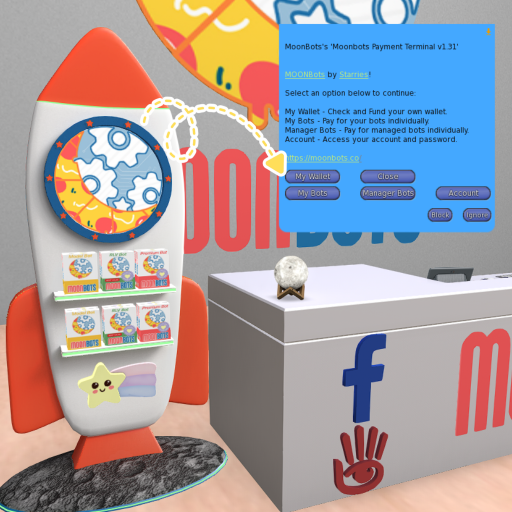
Click the terminal and select My Wallet
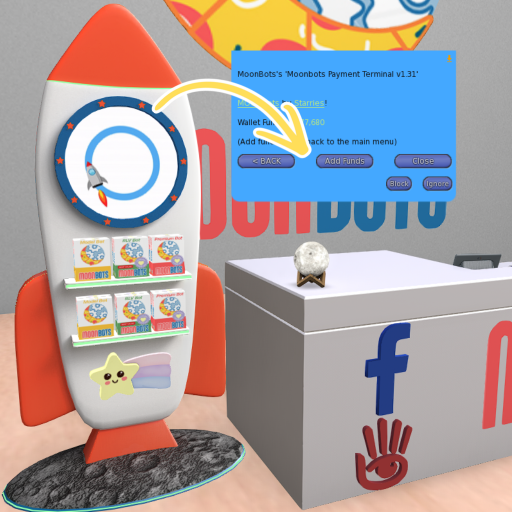
Click Add Funds
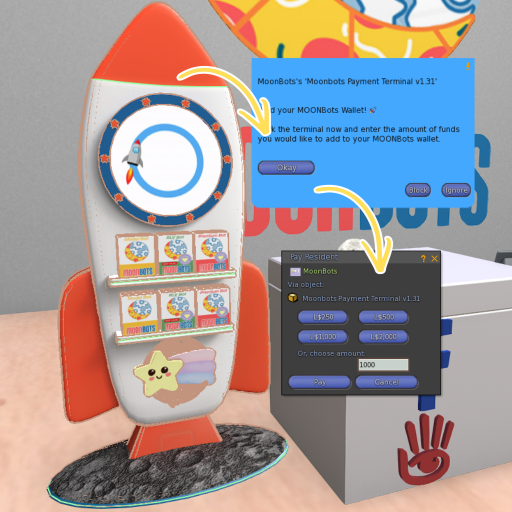
Pay the terminal and enter the amount of funds you would like to add to your MOONBots wallet.
Bot subscriptions are charged weekly from your wallet balance if Auto-Renew is checked.
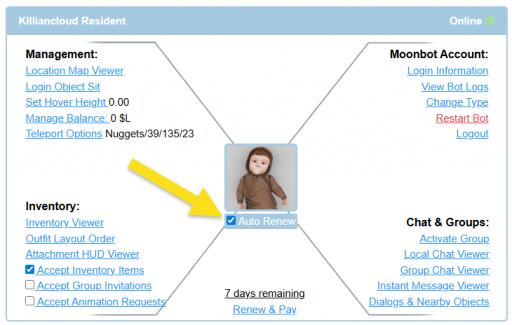
Your bots will automatically renew each week if you have a sufficient wallet balance. If your balance is too low:
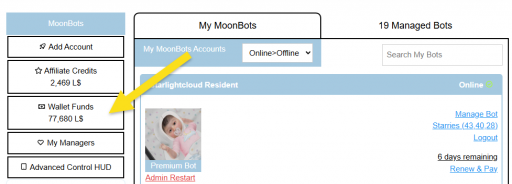
View your current wallet balance anytime:
Q: What if I added funds, but they're not showing?
A: First, wait 10 minutes and refresh the page. If it is still not showing, please contact support with your transaction details.
Q: Can I get a refund?
A: Wallet funds are non-refundable, but you can use them anytime for bot subscriptions, and wallet funds do not expire.
Q: Is there a minimum deposit?
A: No minimum deposit required
Q: Can I transfer my wallet balance to another user?
A: No, wallet balances are non-transferable between accounts; however, you can pay for any bot you are added as a manager to.
A few cookies keep you logged in and block bots, so those always run. Everything else stays off until you allow it: loading PayPal checkout, and any analytics we might add later. See our Cookie Policy.
Turn each purpose on or off. Nothing outside "strictly necessary" runs until you allow it, and you can change this whenever you like from the Cookie Settings link in the footer.
Keeps you logged in, protects the site from bots and abuse, and remembers settings you have deliberately changed, such as dark mode. Without these the site does not work.
PHPSESSID (login session, ends when you close the browser), cf_clearance (Cloudflare bot protection, 12 months), mb_consent (stores this choice, 6 months), theme and wm_dismissed (written only when you switch the theme or dismiss a notice, so they record a choice you made)
Loads PayPal so you can add funds to your wallet. PayPal stores data on your device to process the payment and detect fraud. If this is off, the PayPal checkout will not load until you allow it.
__paypal_storage__ and related PayPal storage, set by paypal.com
Measures which pages get used so we can improve them. Off by default and not in use today. The toggle is here so nothing can start without asking you first.
None in use today
Builds a profile of your interests to show you ads elsewhere. Off by default and not in use today.
None in use today
 MoonBots
 [Starries]