If your bot isn’t loading, don’t worry! This usually happens for a simple reason and can be fixed in just a few steps. Try the solutions below in order, and check if your bot loads after each one.
This is the quickest fix and solves most loading issues. Restarting gives your bot a fresh connection to Second Life.
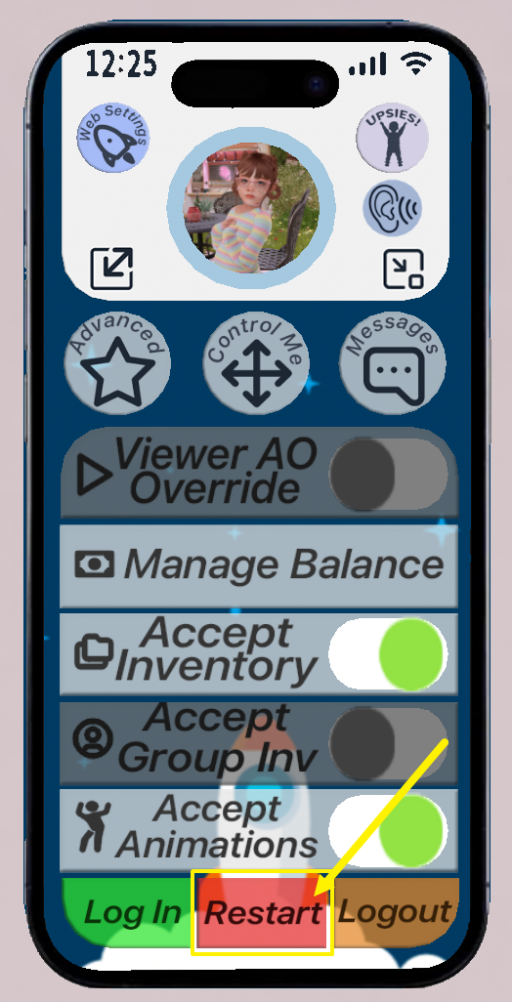
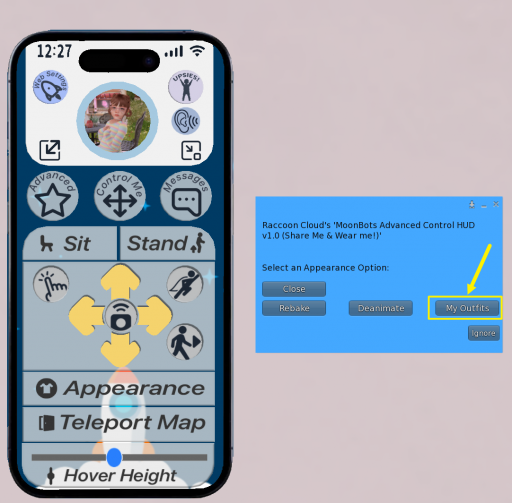
Sometimes a specific outfit can cause a bot to get stuck while loading. Switching to a different outfit can often load the bot in.
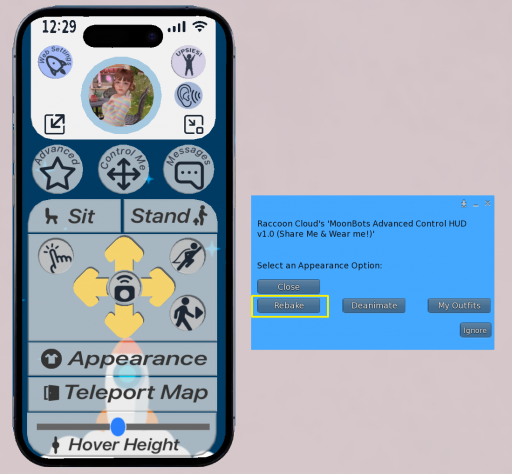
If your bot loads but looks blurry, gray, or is missing textures, a rebake can fix it. This forces Second Life to refresh and reload the bot’s textures.
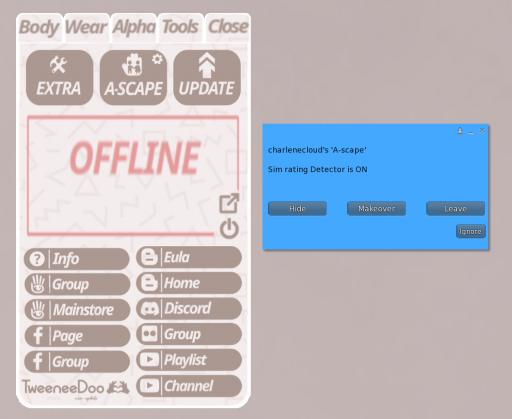
If you’re using a Toddleedoo or Tweenedoo bot, this may not be a loading issue at all. A-scape is a built-in safety tool on the Toddleedoo and Tweenedoo bodies, and it’s enabled by default.
When you enter an Adult-rated region, A-scape will:
If your bot seems like it isn’t loading but you’re on an Adult region, check for this setting.
If you’ve tried all of the steps above and your bot still won’t load, reach out to MoonBots support, and we’ll be happy to help.
A few cookies keep you logged in and block bots, so those always run. Everything else stays off until you allow it: loading PayPal checkout, and any analytics we might add later. See our Cookie Policy.
Turn each purpose on or off. Nothing outside "strictly necessary" runs until you allow it, and you can change this whenever you like from the Cookie Settings link in the footer.
Keeps you logged in, protects the site from bots and abuse, and remembers settings you have deliberately changed, such as dark mode. Without these the site does not work.
PHPSESSID (login session, ends when you close the browser), cf_clearance (Cloudflare bot protection, 12 months), mb_consent (stores this choice, 6 months), theme and wm_dismissed (written only when you switch the theme or dismiss a notice, so they record a choice you made)
Loads PayPal so you can add funds to your wallet. PayPal stores data on your device to process the payment and detect fraud. If this is off, the PayPal checkout will not load until you allow it.
__paypal_storage__ and related PayPal storage, set by paypal.com
Measures which pages get used so we can improve them. Off by default and not in use today. The toggle is here so nothing can start without asking you first.
None in use today
Builds a profile of your interests to show you ads elsewhere. Off by default and not in use today.
None in use today
 MoonBots
 [Starries]